At a glance
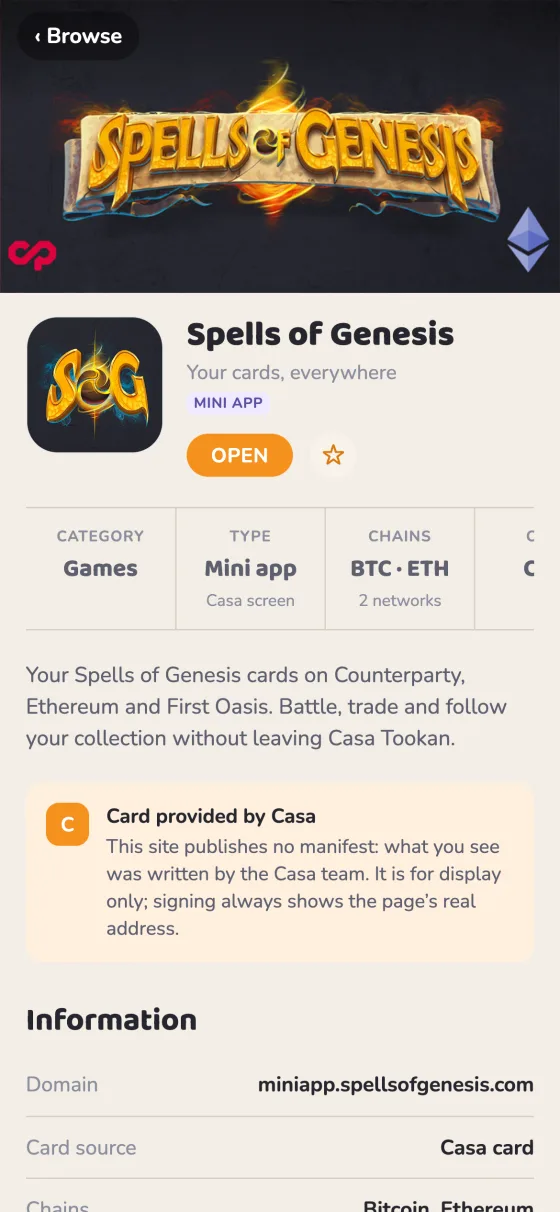
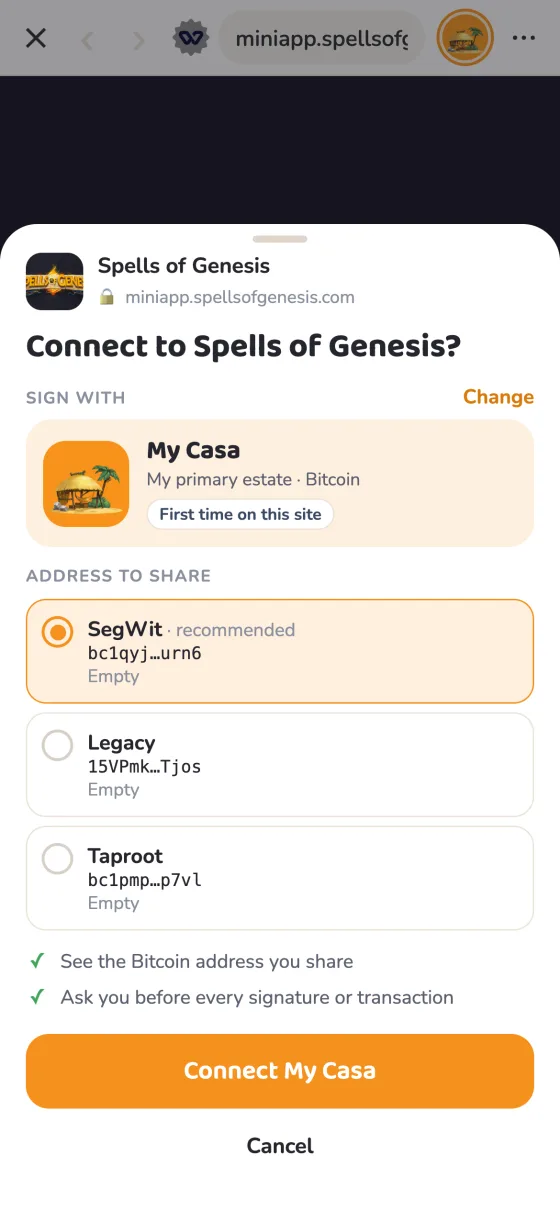
wallet member to the Web App Manifest you already have. It follows the Wallet App Manifest, an open format any wallet can read. Casa Tookan then shows your site with its own name and icon, a splash screen while it loads, a card with your banner in Browse › Apps, and a notice when you need something it doesn’t offer.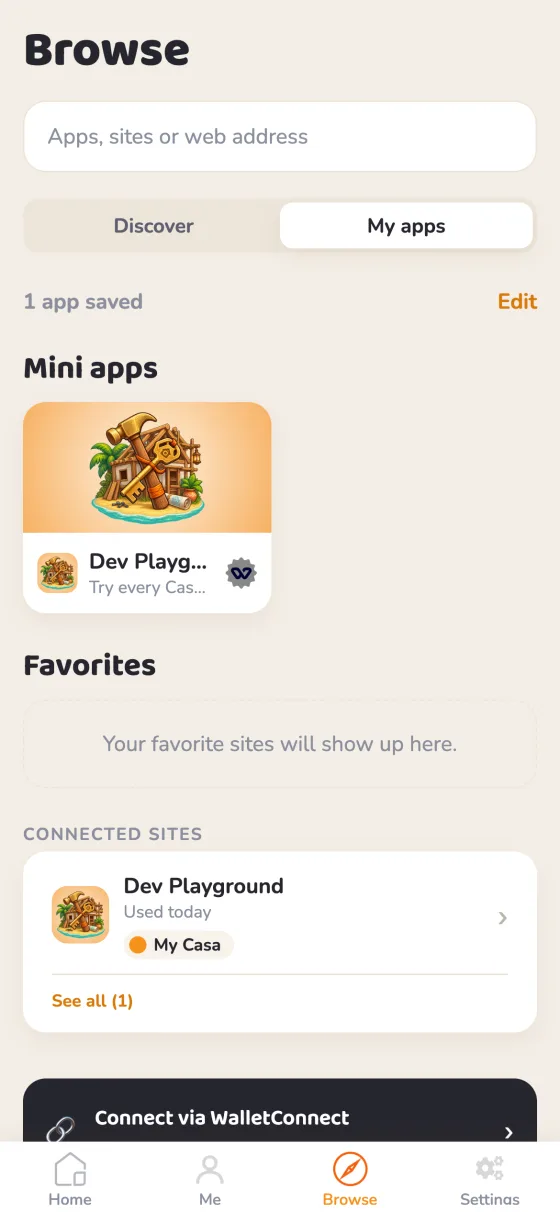
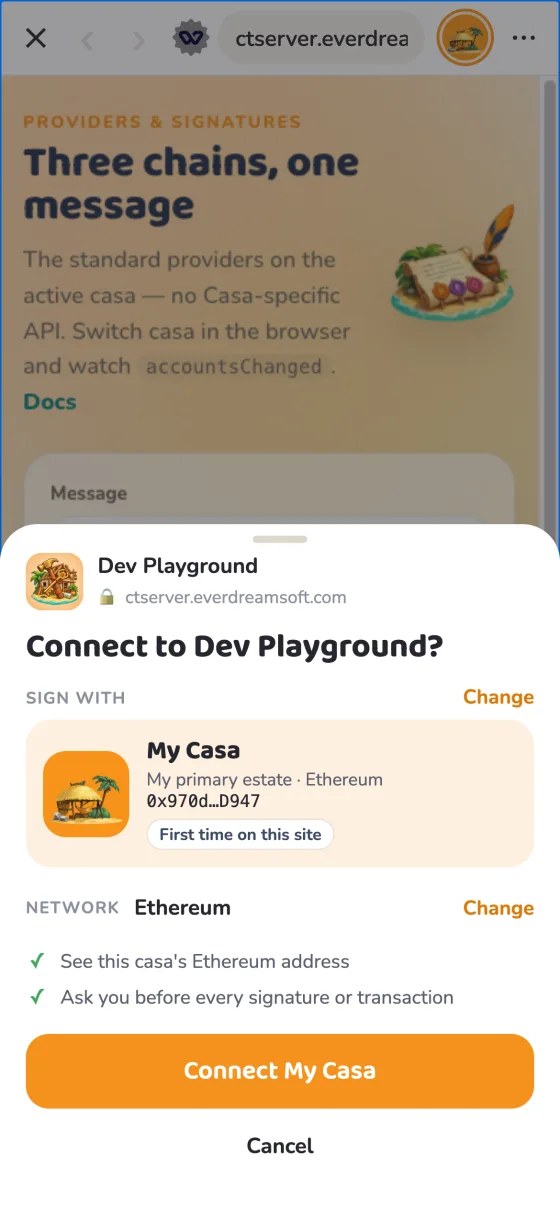
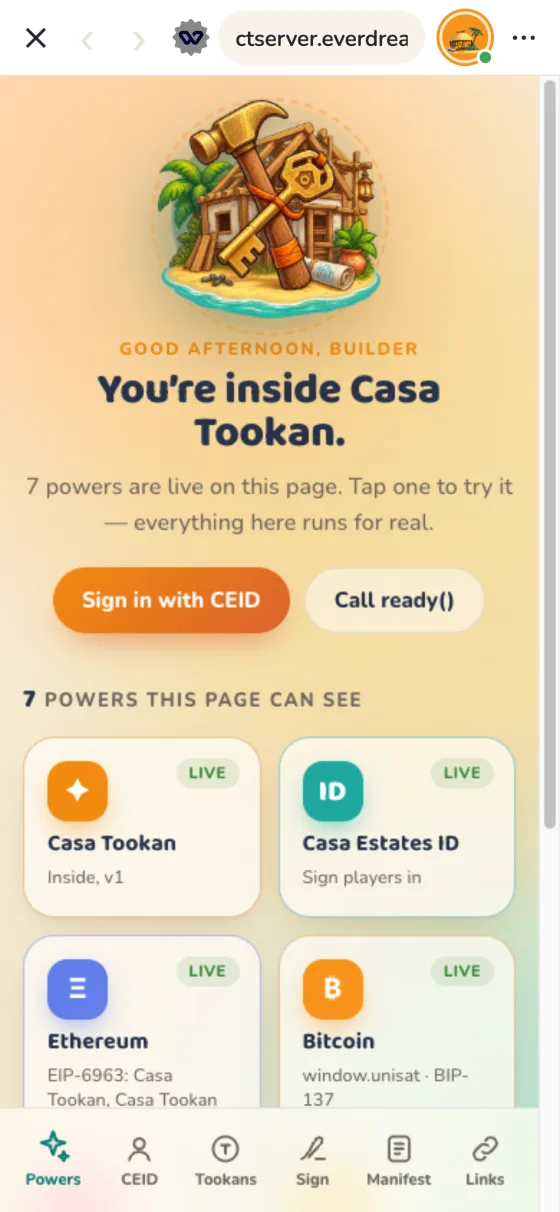
| You declare | Casa Tookan shows |
|---|---|
name, icons | Your name and icon in the address bar, and in the sheet where the user approves a signature |
wallet.splashImageUrl, background_color | A splash screen while your app loads, until you call window.wallet.ready() |
wallet.heroImageUrl, wallet.subtitle, start_url | A card in Browse › Apps when the user saves your app, which opens at start_url |
wallet.chains, wallet.capabilities | A dismissible notice when you require something Casa Tookan lacks; your app still opens |
casatookan everywhere. Casa (casa.io) is an unrelated Bitcoin wallet. Inside Casa Tookan, a casa is one of the user’s profiles: a set of Bitcoin and EVM addresses they switch between. Your app sees the active casa.The manifest
Casa Tookan reads the Wallet App Manifest, an open format any wallet can read: the W3C Web App Manifest your site most likely already has, plus one wallet member holding only what the standard has no member for.
{
  "name": "Orb Quest",
  "short_name": "Orbs",
  "description": "A card game played with your Counterparty assets.",
  "start_url": "/play",
  "scope": "/",
  "background_color": "#101820",
  "categories": ["games", "trading-cards", "counterparty"],
  "icons": [{ "src": "/icon-1024.png", "sizes": "1024x1024", "type": "image/png" }],
  "screenshots": [{ "src": "/shots/duel.png", "sizes": "1284x2778", "form_factor": "narrow" }],
  "wallet": {
    "version": "1",
    "subtitle": "Duel with your orbs",
    "heroImageUrl": "/hero-1200x630.png",
    "splashImageUrl": "/splash-200.png",
    "chains": { "required": ["bip122:000000000019d6689c085ae165831e93"], "optional": ["eip155:8453"] },
    "capabilities": {
      "required": ["provider.counterparty", "wallet.ready"],
      "optional": ["casatookan:identity.ceid"]
    },
    "extensions": {
      "casatookan": { "identity": { "level": 1, "reason": "One player per device" } }
    }
  }}
W3C standard in blue, unchanged · Added highlighted: the whole extension.
wallet member is requiredA manifest without a wallet member, or whose wallet.version is not 1 / 1.x, does not make the site an app: no splash, no Apps card. Casa Tookan still shows the site under the manifest’s name and largest icon. Nearly every site has a manifest; only the ones that ask are shown as apps.Where Casa Tookan finds it
https://<your-domain>/.well-known/wallet-app.json: the same JSON, served on its own;- else the
<link rel="manifest">in the<head>of your home page (https://<your-domain>/). Keep it in the served HTML; do not add it by script.
The first one with a wallet member is used whole: the two are not merged. Relative URLs resolve against the URL the manifest was fetched from.
W3C standard Members reused as is
| Member | Casa Tookan’s use | Notes |
|---|---|---|
name | Your app’s name | Max 32 characters, else short_name (32 max) is shown. |
icons | Your app’s icon | The largest raster icon with purpose any; maskable only as a last resort; never monochrome or SVG. See images. |
start_url | Where your app and its favorite open | Must be on your domain, else ignored. |
scope | Which pages are the app | W3C rules: the declared scope if on your domain and containing start_url, else the directory of start_url. Pages outside it are shown as your ordinary website. |
background_color | Splash screen background | Hex colors only. |
description | Your app’s page | Max 170 characters, plain text, no emoji. |
categories | Category and tags | Up to 5, 20 characters each, lowercase, no spaces. The first one that maps is the category: a Casa Tookan category as is, or utilities → utility, shopping → marketplace, photo → art-creativity. |
screenshots | Your app’s page | form_factor: "narrow" for phones. Not shown by Casa Tookan yet. |
Added The wallet member
| Field | Type | Notes |
|---|---|---|
version | string | Required: "1". Any 1.x is read as 1, another major version is ignored. |
subtitle | string | Max 30 characters, no emoji. One line under the name. |
heroImageUrl | URL | The banner in Browse › Apps. See images. |
splashImageUrl | URL | The splash image; defaults to the icon. |
chains | object | required / optional: CAIP-2 ids (see chains). |
capabilities | object | required / optional (see capabilities). |
association | object | Proof that the domain is yours (see below). |
extensions | object | One object per wallet. Casa Tookan reads extensions.casatookan and ignores the others. |
Every field is read leniently: one that fails its check is ignored, the rest still applies.
Casa Tookan only extensions.casatookan
identity sets what your app may ask of the player’s Casa Estates ID: level (0–3), a reason, and addresses, the most addresses per CAIP-2 chain it will ever ask for ([{ "chain": "…", "max": 1–5, "reason": "…" }]). See CEID.
association
Proof that the domain belongs to you, signed by any blockchain account:
"association": {
  "account": "eip155:1:0xf39Fd6e51aad88F6F4ce6aB8827279cffFb92266",
  "payload": "eyJkb21haW4iOiJvcmJxdWVzdC5nYW1lIn0",
  "type": "eip191",
  "signature": "0x…"
}account: a CAIP-10 account;payload: base64url JSON{ "domain": "your-domain", "issuedAt": "…" };type: the signature type (eip191for EVM,bip322-simplefor Bitcoin);signature: the signature of the message defined in the specification.
Stored by Casa Tookan, not verified yet. It will be required for anything scoped to your domain.
Images
| Image | Member | Size | Format |
|---|---|---|---|
| Icon | icons, purpose any | 1024 × 1024 (at least 512) | PNG, opaque |
| Banner | wallet.heroImageUrl | 1200 × 630 (1.91:1), shown uncropped | PNG or JPEG |
| Splash | wallet.splashImageUrl | 200 × 200 | PNG, transparency allowed |
| Screenshots | screenshots, form_factor: "narrow" | 1284 × 2778 portrait, up to 3 shown | PNG or JPEG |
The same sizes as Farcaster mini apps: one set of files serves both. The icon sits on light and dark backgrounds and in round masks: give it an opaque background of its own, and keep the art within the central 80 %. No SVG: many native image views can’t draw it. Without a banner, Browse falls back to your Farcaster manifest’s images (3:2 ones are cropped to 1.91:1), then to your icon over a blurred copy of itself.
Chains
CAIP-2 ids. Anything else is ignored.
| Chain | Id |
|---|---|
| Bitcoin mainnet | bip122:000000000019d6689c085ae165831e93 |
| Ethereum | eip155:1 |
| Base | eip155:8453 |
| Kaia | eip155:8217 |
| Optimism · Arbitrum · Polygon · BNB Chain · Avalanche · Gnosis | eip155:10 · 42161 · 137 · 56 · 43114 · 100 |
provider.counterparty capability.Capabilities
| Capability | What your page gets |
|---|---|
provider.ethereum | window.ethereum (EIP-1193, announced over EIP-6963) on the casa’s EVM account. |
provider.bitcoin | sats-connect, Wallet Standard and window.unisat on the casa’s Bitcoin accounts (segwit, taproot, legacy). |
provider.counterparty | window.webXCP / window.web3xcp on the legacy address; Counterparty PSBTs are decoded and shown to the user before signing. |
wallet.ready | window.wallet.ready() (see splash screen). |
casatookan:identity.ceid Casa Tookan only | window.casaTookan.ceid: sign the player in with their Casa Estates ID (see CEID). |
casatookan:tookans.spend Casa Tookan only | window.casaTookan.tookans.spend({ offer }): sell an item for the player’s Tookans. A sheet shows the item, the price and the balance, and your page gets a signed receipt. |
casatookan:identity.estate Casa Tookan only | Reserved and not available yet. |
The provider.* capabilities and wallet.ready come from the specification’s open registry: names any wallet hosting apps can offer as they are. What only Casa Tookan offers carries its casatookan: prefix; other wallets ignore it. Former names are still honoured: casatookan.ready (now wallet.ready), identity.ceid and identity.estate (now prefixed).
A required chain or capability Casa Tookan lacks shows the user a dismissible notice. Your app still opens. Optional ones are informative.
In the page
Injected before your own scripts. Signing goes through the standard providers above: there is no Casa Tookan-specific signing API.
window.wallet = {
  ready(),        // hide the splash screen (the neutral name)
};

window.casaTookan = {   // Casa Tookan’s own
  isCasaTookan: true,
  version: '1',
  ready(),        // the same, by its former name
  ceid,           // Casa Estates ID sign-in
};

if (window.casaTookan?.isCasaTookan) {
  // running inside Casa Tookan: ceid is there
}
Call window.wallet?.ready() and your app works in any wallet that offers it; test for Casa Tookan only for what is its own. A window.wallet your own scripts define is left alone.
Splash screen
- Shown from the start with
wallet.splashImageUrl(or the icon) onbackground_color. - Declare
wallet.readyand it stays until you callwindow.wallet.ready(), for at most 10 s. - Without it, it goes once the page has been idle for 2.5 s after load.
- Call
ready()once your first screen is drawn.
Casas
- The user can switch casa while on your page: you get the providers’ usual
accountsChanged(onwindow.ethereumandwindow.unisat). - Each casa has its own storage:
localStorage,sessionStorageand IndexedDB are kept apart per casa, so a session stays with the casa that opened it.
window.addEventListener('load', () => {
  renderFirstScreen();
  window.wallet?.ready();
});
How Casa Tookan reads it
| Situation | What happens |
|---|---|
| When it is fetched | From your site directly, once per domain and per launch of the app: a change is seen at the next launch. |
| Format | Serve application/json. An HTML page with status 200 (an SPA fallback) counts as “no manifest”. |
404 / 410 | No manifest. |
| CORS | Send Access-Control-Allow-Origin: * on every answer under /.well-known/, the 404s included. The phone app doesn't need it; Casa Tookan's web build (devapp.casatookan.com) and the validator below do. Without it a browser can't read the file, and can't tell a missing one from a network error. |
Network error, timeout, 403, 5xx | “Can’t tell”: Casa Tookan keeps what it knew and never downgrades an app over an outage. Don’t put the file behind a bot challenge. |
| Where | /.well-known/wallet-app.json and your home page’s <link rel="manifest">, asked in parallel. A home page Casa Tookan can’t read (bot challenge, 403) counts as “no linked manifest”. |
| Images | Not behind a bot challenge or a login either, and readable cross-origin (Access-Control-Allow-Origin: *). Publish a new image under a new URL: wallets may cache them. |
| Which pages are the app | Those in your scope. Elsewhere on your domain, Casa Tookan shows your ordinary website, under your manifest’s name and icon. |
| A saved app | One favorite per domain, at your start_url, refreshed on each visit: a new name, banner or start_url is followed; a field you remove is removed; a manifest gone for good turns it back into a plain bookmark. |
Farcaster mini apps
Casa Tookan also reads /.well-known/farcaster.json and hosts mini apps built on @farcaster/miniapp-sdk when the active casa owns a Farcaster account: context, Sign In With Farcaster, the wallet, haptics. Serve both manifests and they are merged field by field, the Wallet App Manifest first. You only need a Wallet App Manifest to override what differs in Casa Tookan, or to declare Bitcoin and Counterparty. A domain declared by farcaster.json alone is the app only at its homeUrl and below.
Not supported: adding the mini app and its notifications (no notification server), posting casts (handed to farcaster.xyz).
Playground
Edit a manifest and see, as you type, what Casa Tookan makes of it: the checks the app applies, your icon at every size, and the screens your users will see. It starts with a real one, the Dev Playground’s, live at ctserver.everdreamsoft.com/.well-known/wallet-app.json. Change its name, banner or colour, load your own domain, or paste your manifest. For the full specification checks, use the specification’s validator.
The Dev Playground serves icon-1024.png (1024 × 1024), hero-1200x630.jpg and splash-200.png (200 × 200): one set of files for the address bar, Browse, the app page and the splash. Open it in Casa Tookan from ctserver.everdreamsoft.com/playground.